Free Working Xtream Codes 2026: The Complete Guide to Setup, Login, and Reality
If you’ve been searching for free working Xtream Codes, you’ve probably noticed something frustrating: everyone claims to have them, and almost none of them work for long. Here’s the blunt truth — there is no reliable legal source that publishes permanent free working Xtream Codes with full premium lineups.1 2
This guide explains exactly what Xtream Codes are, how they work with the apps you already use, and why chasing “unlimited free” logins is usually a waste of time. By the end, you’ll know precisely how to set up Xtream Codes IPTV properly on any device.
What Are Xtream Codes, Really?
Let’s start with the mechanics. Xtream Codes are login credentials used by many IPTV platforms.3 4 The system runs on a panel that provides three essential details:
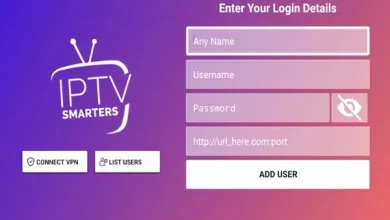
- A server or API URL
- A username
- A password
That’s it. You plug those three values into a compatible player and it authenticates against the server, then loads your channel lineup automatically.3
Popular search phrases in this space include xtream codes m3u, xtream codes playlist, xtream codes login, and xtream codes api. All of them refer to the same underlying system.
Is Xtream Codes Legal?
Yes — the login format itself is just technology.5 6 Whether your viewing is legally clean depends entirely on the provider behind it. A properly licensed service that pays for its content is legitimate. An unlicensed one reselling streams it has no rights to is a different story.5
The technology is legal. The provider’s paperwork is what matters.6
Xtream Codes M3U vs. Login: Know the Difference
This trips up beginners constantly. Two things can come out of the same server:
- Xtream Codes login — server URL, username, password entered into a player’s API option.
- Xtream Codes to M3U — a direct playlist URL, usually ending in
get.php?username=…&password=….
If your provider gave you a link ending in /get.php, that’s the xtream codes m3u playlist version.5 For an API login, you only need the part before /get.php.5
- Use the M3U URL when you want speed and simplicity.
- Use the API login when you want EPG, recording, and multi-device sync.7
For most casual users, M3U setup is faster and more stable. For power users who want structure, the API route wins — but requires a valid subscription and careful credential handling.7
Free Xtream Codes: The Harsh Reality
Here’s where most people get burned. Free Xtream Codes circulating online are almost always leaked or stolen logins from paid accounts.5
They stop working fast, the server operator is anonymous and unaccountable, and routing your viewing through a stranger’s server is a privacy risk.5
- Free codes rarely last longer than 48–72 hours.8
- Most require manual re-entry or fail mid-stream due to server rotation.8
- “Generators” claiming to produce working credentials usually don’t.1 5
The Generator Myth
You cannot generate a working Xtream Codes login yourself.5 6 The credentials are issued by your provider’s server when you subscribe.5
Apps on the Play Store claiming to be an Xtream Codes Generator are often capitalizing on the term. One popular app with 50,000+ downloads is clearly not legitimate according to user reviews.6
Avoid entering your credentials or personal data into random generator apps.6
Example of a Real Free Code
Some codes do circulate with actual working details, like this one published in 2026:2
- Portal ➤
http://0g7hljf4wx.sasa24.xyz - Created ➤ 13/11/2024
- Expires ➤ 15/09/2026
- Port ➤ 80
- Status ➤ OK
But even these die without warning. Never rely on one.2
How to Use Xtream Codes: Setup on Every Device
The setup workflow is identical across apps — only the menu location changes.
For a proper xtream iptv setup guide android tv or xtream codes for firestick 2026:2
- Install a compatible player (TiviMate, IPTV Smarters, GSE Smart IPTV).2
- Select the Xtream Codes / API login option.2
- Enter the private server URL, username, and password.2
- Save the playlist and let it load.
- Organize categories and test streams.
Xtream Codes Firestick
Sideload your chosen player, or install Smarters from the Amazon Appstore. Once installed, the setup is the same — API login, three fields, done.6
IPTV Smarters Xtream Codes / Smarters Pro
Open the app, tap “Add User,” choose Xtream Codes API, and paste your credentials. Smarters Pro is one of the most popular apps for this because it handles EPG and VOD well.
TiviMate Xtream Codes
TiviMate is the gold standard for Xtream API support. Add a new playlist, pick Xtream Codes, and paste your three values.6 You get full EPG, recording, and multi-provider support — including switching between accounts from the top-right menu.6
XCIPTV Xtream Codes / Android TV
The exact same process applies. XCIPTV, Android TV, and Firestick all use identical field structures.
Why Everyone Searches for “Best Xtream Codes 2026”
Best Xtream Codes 2026 searches are high because users want the mythical perfect free login. The realistic answer:
- Free codes = unreliable, anonymous, short-lived.9
- Trial codes = legitimate and 24–48 hours.10
- Paid subscription = stable, private, EPG-equipped.9
The fastest way to get real working credentials is a 24–48 hour free trial from a legitimate provider.10 Many offer trial access with no credit card required.10
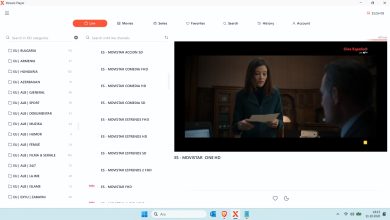
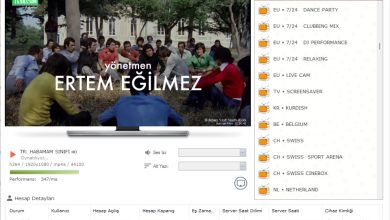
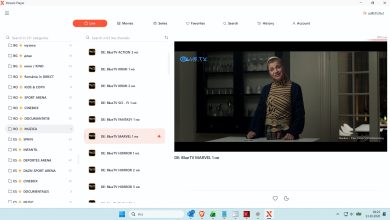
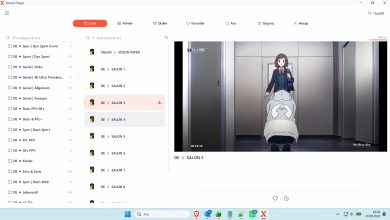
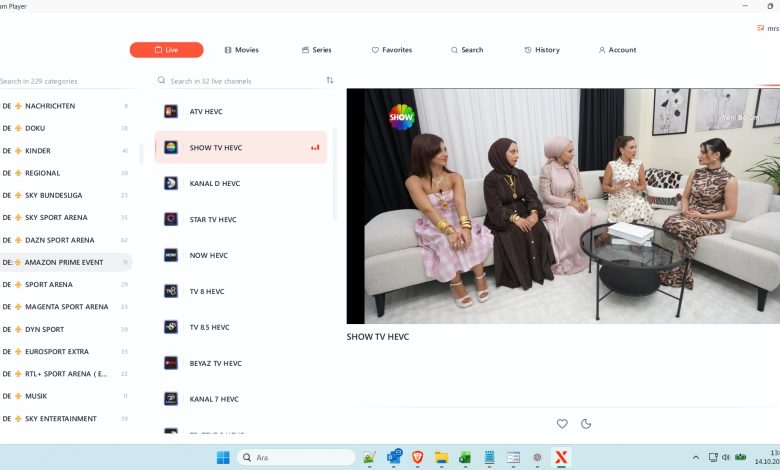
Windows IPTV Player Download

Windows IPTV Player 3.0 Download
Free Working Xtream Codes
• 𝙋𝙤𝙧𝙩𝙖𝙡 : http://benstv2025.art
• 𝘾𝙧𝙚𝙖𝙩𝙚𝙙 : 12/02/2025
• 𝙀𝙭𝙥 : 26/10/2026
• 𝙐𝙨𝙚𝙧 : mrselsrn
• 𝙋𝙖𝙨𝙨 : jSQ5Y6zZzK
• 𝘾𝙤𝙣𝙣 : 0
• 𝙈𝙖𝙭𝘾𝙤𝙣𝙣 : 1
• 𝙋𝙤𝙧𝙩 : 2095
• 𝙎𝙩𝙖𝙩𝙪𝙨 : # OK ✅
You can download the rest from the link below.
Download Link
The Middle Path: Free Trial, Then Subscribe
If you want to test the experience before paying:
- Grab a 24-hour free trial from a reputable provider.10
- Test on your actual device with your actual network.
- Confirm EPG accuracy, sports coverage, and 4K/VOD availability.
- Then commit to a monthly plan if it holds up.10
Legitimate providers typically charge 10–25 per month for Xtream access with SLA-backed uptime.7 That’s far cheaper than a stack of streaming subscriptions — and unlike free codes, it just works.7
When to Consider a Premium IPTV Service
Free codes are fine for casual viewing. But upgrade if you want:
- premium live tv with dependable uptime.7
- best iptv subscription features — EPG, recording, catch-up.
- 4k iptv service and UHD channels.
- sports iptv premium with low latency on live events.
- iptv for smart tv native apps for Samsung/LG.
Also consider the backend side: an iptv reseller panel or xtream codes api panel lets providers create and manage customer accounts.4 9 Legitimate panels issue private credentials rather than public free codes.4 9
Risks to Watch For
Free codes come with real baggage:1 4
- Sudden service loss.
- Malware from untrusted source sites.
- ISP warnings about unlicensed content.
- Possible legal consequences depending on your region.
For a safer experience, choose transparent providers that issue private credentials and clearly state they hold content rights.3 4 Official broadcaster apps and fully licensed streaming platforms remain the lowest-risk options.3
How to Evaluate a Provider
Before paying anyone, check:
- Does their site list uptime percentage?
- Do they publish EPG coverage details?
- Is support response time documented?
- Are credentials sent privately (not just posted publicly)?
Avoid providers that only share “working codes” without documentation.7 Codes shared in Telegram groups without verification offer no accountability if streams vanish.7
Common Setup Errors and Fast Fixes
- Login failed — verify server URL has no trailing slash and matches exactly.
- Playlist empty — your credentials may have been revoked; contact the provider.
- Constant buffering — check your internet speed first, then the server’s region.
- EPG missing — verify the EPG URL is set separately in player settings.
- Wrong playlist format — you may have pasted an M3U URL into the API field.5
If a free code fails three times, move on. There are always fresher options.
Best Practices for 2026
- Never rely on a single free code.
- Keep 3–5 backup credentials if using public lists.
- Bookmark daily-update sources like stbstalker.alaaeldinee.com.2
- Verify the date stamp on every list.
- Use a VPN if a server is region