Free Xtream Codes 2027 – Working Xtream Codes Today, IPTV Login and API Guide
Are you searching for free Xtream Codes, working IPTV accounts, or updated Xtream Codes login information? Xtream Codes technology remains a popular topic among IPTV users who want to understand how IPTV applications connect to streaming services using server addresses and account credentials.
Searches for working Xtream Codes, working Xtream Codes today, and Xtream Codes free 2027 reflect the growing interest in IPTV authentication, playlist management, and compatible streaming applications.
Whether you are new to IPTV or already familiar with IPTV players, this guide explains how Xtream Codes work, how to configure an account, what Xtream Codes API means, and how this login method compares with M3U playlists.
Free Xtream Codes and Xtream Codes Free 2027
The term free Xtream Codes is commonly used by people searching for IPTV login information and free trial access.
Xtream Codes free 2027 is another popular search phrase among users researching IPTV applications, account configurations, and free trial services.
Xtream Codes is associated with IPTV management and authentication systems. Compatible IPTV applications can use account credentials to communicate with a provider’s server and retrieve available service information.
A typical account configuration requires three details:
- Server URL
- Username
- Password
These details are supplied by the IPTV service provider. The application uses them to authenticate the account and access the content permitted by the service.
There is no universal collection of free accounts that works permanently. Account availability depends on the provider, subscription status, server configuration, and content licensing permissions.
Working Xtream Codes Today: Finding Reliable IPTV Access
Many users search for working Xtream Codes because they want active IPTV connections without expired credentials.
The phrase working Xtream Codes today is especially common among people looking for currently available IPTV access.
However, online lists advertised as working Xtream Codes are not necessarily verified. Some accounts may have expired, while others may contain incorrect server addresses or unauthorized access information.
Before using an IPTV account, consider these points:
- Use credentials supplied by a legitimate provider.
- Check whether the account is active.
- Verify the server address.
- Avoid websites requesting unnecessary personal information.
- Never download suspicious applications claiming to generate free accounts.
A legitimate IPTV free trial is generally a safer option than randomly published credentials.
Xtream Codes Updated Today and Daily Xtream Codes
Searches for Xtream Codes updated today and daily Xtream Codes reflect the demand for current IPTV information.
Users often want to know whether a server is available, whether an account is still active, or whether a provider has updated its connection details.
However, IPTV account credentials are managed by individual providers. Their validity can change depending on subscription periods, technical maintenance, and account permissions.
For reliable updates, look for:
- Official provider announcements
- Server maintenance information
- Account expiration details
- Application compatibility updates
- Authorized free trial availability
No website can guarantee that every account advertised as updated today will remain active tomorrow.
Xtream Codes Login: How to Use Xtream Codes
Understanding Xtream Codes login is essential for anyone configuring a compatible IPTV application.
If you want to learn how to use Xtream Codes, follow these general steps.
Step 1: Open an IPTV Application
Install a compatible IPTV player through its official website or application store.
Step 2: Select Xtream Codes API Login
Choose the login method that uses server information and account credentials.
Step 3: Enter the Server URL
Use the server address supplied by your authorized IPTV provider.
Step 4: Enter Your Username and Password
Type the login information exactly as provided.
Step 5: Connect to the Service
Save the configuration and allow the application to authenticate your account.
If the connection fails, check the server address, account status, internet connection, and application compatibility.
What Is Xtream Codes API?
The Xtream Codes API is a commonly supported authentication and communication method in IPTV applications.
Instead of manually importing individual channel addresses, users can enter their account details and let a compatible application retrieve the information supported by the provider.
Depending on the service, available information may include:
- Live television categories
- Channel information
- Video-on-demand categories
- Series information
- Electronic program guide data
- Account and connection status
Popular applications that may support Xtream Codes-style login include IPTV Smarters, TiviMate, and XCIPTV. Supported features can vary by application version.
Xtream Codes vs M3U: Which IPTV Login Method Is Better?
Xtream Codes vs M3U is a common comparison among people who want to configure IPTV applications.
Both methods allow compatible applications to organize streaming content, but their configuration methods are different.
| Feature | Xtream Codes | M3U |
|---|---|---|
| Login method | Server, username, password | Playlist URL or file |
| Configuration | Account-based | Playlist-based |
| Channel organization | Provider-dependent | Playlist-dependent |
| Updates | Provider-dependent | Source-dependent |
| Compatibility | Supported IPTV players | M3U-compatible players |
Xtream Codes login is convenient for users who receive account credentials from their IPTV provider.
M3U playlists are useful for people who prefer importing a playlist URL or file into a compatible media player.
Neither method guarantees better streaming quality. Performance depends on the service, network connection, and device.
IPTV Xtream Codes and Xtream Codes IPTV Explained
The terms IPTV Xtream Codes and Xtream Codes IPTV are commonly used when discussing IPTV services that support account-based authentication.
IPTV allows television content to be delivered over internet connections rather than exclusively through traditional broadcasting infrastructure.
Xtream Codes-style authentication provides a way for compatible applications to connect to supported IPTV services.
The overall experience depends on several factors:
- Server infrastructure
- Internet speed
- Network stability
- Device compatibility
- Provider reliability
- Content licensing
Users should choose providers that clearly explain their services and have the necessary rights to distribute their content.
Free IPTV Codes and Free STBEmu Codes
Searches for free IPTV codes and free STBEmu codes are also common among users exploring IPTV configuration methods.
Although these terms are related, they do not necessarily describe the same login system.
Xtream Codes-style login generally uses a server URL, username, and password.
STBEmu is associated with emulating compatible IPTV set-top box environments. Configuration may involve portal information and device-specific settings supplied by the service provider.
Users should obtain configuration details directly from authorized providers rather than relying on random code lists published online.
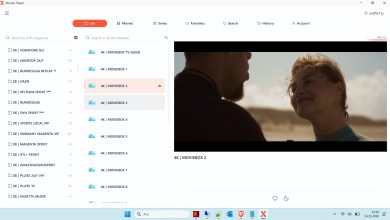
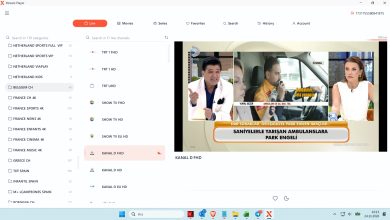
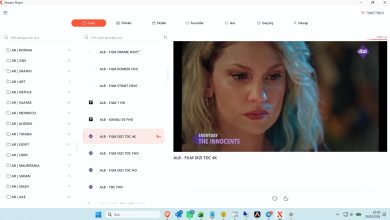
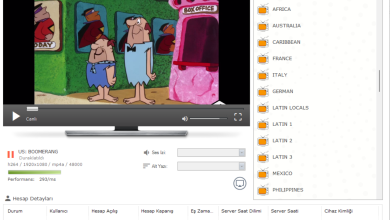
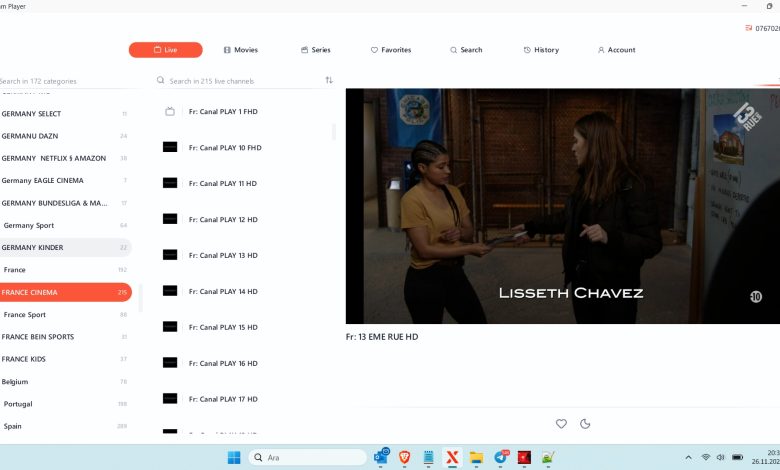
Windows IPTV Player 3.0 Download
Free Xtream Codes 2027
👤 www.apkyukleme.com
━━━━━━━━━━━━━━━━━━
• 𝙋𝙤𝙧𝙩𝙖𝙡 : http://adfmedya.space
• 𝘾𝙧𝙚𝙖𝙩𝙚𝙙 : 04/10/2025
• 𝙀𝙭𝙥 : 06/10/2027
• 𝙐𝙨𝙚𝙧 : AymanBen330
• 𝙋𝙖𝙨𝙨 : CQ8FDH3
• 𝘾𝙤𝙣𝙣 : 1
• 𝙈𝙖𝙭𝘾𝙤𝙣𝙣 : 1
• 𝙋𝙤𝙧𝙩 : 80
• 𝙎𝙩𝙖𝙩𝙪𝙨 : # VPN ❌
• 𝐌𝟑𝐔 : www.apkyukleme.com
You can download the rest from the link below.

Download Link
You can watch the video to learn how to download the file.
Xtream Codes Server Username Password: Understanding Login Details
The keyword Xtream Codes server username password refers to the three essential pieces of information needed for a typical Xtream Codes login.
Server URL: Identifies the IPTV service endpoint.
Username: Identifies the user’s account.
Password: Verifies the account during authentication.
These credentials should be treated as private login information. Avoid sharing them publicly or entering them into untrusted websites.
If your login information stops working, contact your provider to verify the account status and server configuration.
Common Xtream Codes Login Problems and Solutions
Even valid credentials can sometimes produce connection errors.
Invalid Login: Check the username and password for typing errors.
Server Connection Failed: Verify the server address and check whether the provider is experiencing maintenance.
Expired Account: Confirm that your subscription or trial is still active.
Playback Buffering: Check your internet speed and network stability.
Application Error: Update the IPTV player and verify its compatibility with the provider’s service.
These checks can help identify the cause of common IPTV connection problems.
Final Thoughts: Free Xtream Codes 2027 and IPTV Configuration
Interest in free Xtream Codes, working Xtream Codes today, and Xtream Codes free 2027 continues as more users explore IPTV applications and internet-based television.
Understanding Xtream Codes login, how to use Xtream Codes, Xtream Codes API, and Xtream Codes vs M3U can help you choose the right configuration method for your device.
Whether you are researching daily Xtream Codes, Xtream Codes updated today, free IPTV codes, free STBEmu codes, or Xtream Codes server username password settings, always prioritize legitimate providers, account security, and authorized content.
A reliable IPTV experience starts with compatible applications, valid account credentials, and a trustworthy service provider.