STBEmu MAC Address: The Complete 2026 Guide
Introduction: Why STBEmu MAC Address Confuses Everyone
If you’ve downloaded StbEmu, opened it, and immediately felt lost staring at a MAC address field — you’re not alone. The STBEmu MAC address is the single most misunderstood part of the entire setup, and it’s also the one that determines whether you get a channel list or a blank screen.
This guide walks you through exactly what a STBEmu MAC address is, how it works inside a STBEmu Stalker portal, and how to configure one properly in 2026. We’ll also cover whether you should grab STBEmu free codes or buy STBEmu codes, plus every major fix for STBEmu not working issues.
Short version: MAC address + portal URL = your access keys. Get them right and you’re watching TV. Get them wrong and nothing loads.
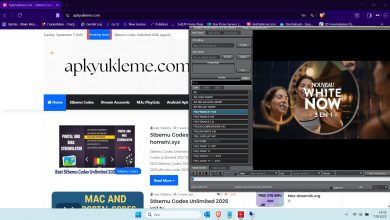
Softwares To Test STBEMU Code
For Android Devices

For Windows
What Is a STBEmu MAC Address, Exactly?
StbEmu emulates a physical MAG set-top box. Every MAG box has a hardware MAC address the server uses to identify it. STBEmu MAC address is the fake version of that ID, generated by the app.
It’s not a real hardware identifier. It’s a virtual serial number the app reports to the STBEmu portal every time it authenticates.
The standard format is 00:1A:79:XX:XX:XX.1 2
- First six digits (
00:1A:79) — the MAG/Stalker vendor prefix, essentially mandatory - Last six digits — the unique portion your app generates
- Portal URL — the server your MAC authenticates against
Stalker Middleware authenticates access via this emulated hardware MAC address combined with a portal URL.2
Without both, nothing works.
Not All MAC Addresses Are Equal
Here’s the part most guides skip: the MAC prefix matters. Servers and portals look at the vendor code.
00:1A:79— classic MAG/Infomir prefix, universal compatibility- Other prefixes may exist but often get rejected by stricter Stalker servers
Generators and dedicated tools exist specifically for this job. The community has built STBEmu MAC address generator tools and even Python-based MAC generators to produce valid prefixes quickly.3 4
Most STBEmu portal servers only whitelist MACs matching the MAG prefix. If yours doesn’t, expect authentication errors every time.
How the MAC Address Fits Into a STBEmu Stalker Portal Setup
The STBEmu Stalker portal system works on a pairing principle, not on user accounts.
A profile in the app holds three things:
- A MAC address (the fake MAG identity)
- A Portal URL (the server address)
- A profile name (cosmetic)
When StbEmu launches that profile, it sends the MAC to the portal. The portal looks up the MAC in its database. If the MAC is whitelisted, you get channels. If not, you get refused.5 6
This is why you can’t just make up a MAC. It has to match what the server expects.
STBEmu MAC Address Setup: Step-by-Step
Here’s the practical sequence that works for most users in 2026.7
- Install a trusted StbEmu (standard or Pro) version
- Open the app and go to StbEmu settings
- Open the newly created profile and Stb Configuration
- Generate a new MAC address — directly in the app or with a generator tool
- Save the profile
- Enter the STBEmu portal URL in Portal Settings
- Exit settings and let the app authenticate
The MAC and portal URL must be entered together. If the app shows a red “auth failed” or endless loading, the pair is wrong.
Pro tip from experience: keep several tested MAC/portal combinations saved with the date you tested them. When a portal starts refusing connections, rotate to the backup.
STBEmu Portal URL Setup: The Correct Format
The STBEmu portal URL setup is far simpler than people expect — but small format errors kill everything.
Correct format looks like:
http://server-address.com:port/c/http://server-address.com:port/stalker_portal/c/
Common mistakes:
- Missing
http://at the front - Wrong port number
- Missing trailing
/c/on Stalker portals - URL with spaces pasted in
Some panels use the /c/index.html variant, some the /stalker_portal/c/ form. If a portal URL doesn’t load in your STBEmu setup, switch to the alternative format.7 5
Free vs Paid: STBEmu Codes and Subscriptions Compared
Two paths exist: STBEmu free codes (shared public portals) or a paid STBEmu subscription from a private seller.
Free codes
- Cost nothing
- Died fast in the past; overloading kills them
- Fresh STBEmu free codes 2026 show up daily on community sites and Telegram
- Best for testing and casual viewing
Paid / Private codes
- You get exclusive MAC and portal credentials
- STBEmu codes for sale typically cost a few euros per month
- More stable, fewer buffer issues, longer life
STBEmu codes price ranges wildly depending on the reseller. Cheap STBEmu codes (a couple of units per year) exist but may be shared further downstream, meaning more load.
For sports and live events, a private STBEmu subscription is worth every cent over a free public portal.
Best STBEmu Codes 2026: What Actually Works
If you want the smoothest free ride, look for:
- Best STBEmu portal 2026 with an active status indicator
- Tested MAC address list dated within the last 24 hours
- Portal URLs from servers with low block-out rates
- Combinations promoting STBEmu codes unlimited for multi-device use
The best free codes list currently circulating targets Stalker Middleware / Ministra protocol, which is what StbEmu Pro and standard both speak.2 6
These lists get promoted constantly, and the “best” changes week to week. Don’t marry a single portal.
STBEmu MAC Address
[+] Panel: http://ya.pingtx.me/c/ [+] Mac: 00:1A:79:03:7A:10 [+] Exp.: April 24, 2027, 11:41 am [+] ᴍᴀᴄ ꜱᴛᴀᴛᴜꜱ: ᴀᴄᴛɪᴠᴇ ᴍᴀᴄ😝 [+] ᴍ3ᴜ ꜱᴛᴀᴛᴜꜱ: ᴏꜰꜰʟɪɴᴇ😔 [+] ᴄʜᴀɴɴᴇʟCategories: 62 [+] ᴠᴏᴅCategories: 1 [+] ꜱᴇʀɪᴇꜱCategories: 2 [+] m3u_Url:
STBEmu Pro vs Free: Do You Need Pro?
A quick side-by-side because everyone asks.
- Pro — ~$5 one-time, ad-free, advanced settings, more stable streaming, better encryption handling
- Free — ad-supported, fewer fine-tuned settings
For casual testing, free is fine. For long-term use, Pro pays for itself in the first hour of frustration saved. Most STBEmu setup tutorial guides out there assume Pro.7
If you plan to buy STBEmu codes and use them daily, Pro is the minimum reasonable setup.
STBEmu vs IPTV Smarters vs Smart STB vs Xtream Codes
Four apps, three alphabets, and a lot of confusion. Here’s the honest version.
- STBEmu — Stalker/MAG emulation, uses MAC address + portal URL
- IPTV Smarters — Xtream Codes API focus, uses URL + username + password
- Smart STB — same as StbEmu but on LG/Samsung TVs, very limited
- Xtream Codes — protocol, not an app; used by Smarters, Tivimate, XCIPTV
STBEmu vs IPTV Smarters: StbEmu is better if you have a Stalker portal credential set, Smarters is better if you have Xtream Codes logins.2
STBEmu vs Xtream Codes: Xtream Codes uses a standard API requiring a server URL, username, and password. Stalker uses the MAC + portal pairing.2
STBEmu vs Smart STB: If your Smart TV supports Smart STB, great — but support is spotty and outdated. StbEmu on a Firestick beats it hands-down.
STBEmu for Firestick, Android TV, and Nvidia Shield
The STBEmu Firestick setup is the most searched install path. Here’s the short version:
- Enable “Apps from Unknown Sources” on the Firestick
- Install Downloader by AFTVnews
- Sideload the StbEmu APK
- Follow the standard STBEmu MAC address tutorial steps
- Use Pro version for best Firestick performance
STBEmu Android TV codes work identically. The app runs fine on Android TV OS.
For Nvidia Shield, STBEmu Nvidia Shield setup is basically the same, but the Shield’s hardware decoder handles HD streams beautifully. This is the best device for the app if you want zero latency.
STBEmu portal URL USA setups exist too, and most work worldwide — the geoblocking is optional on most servers.