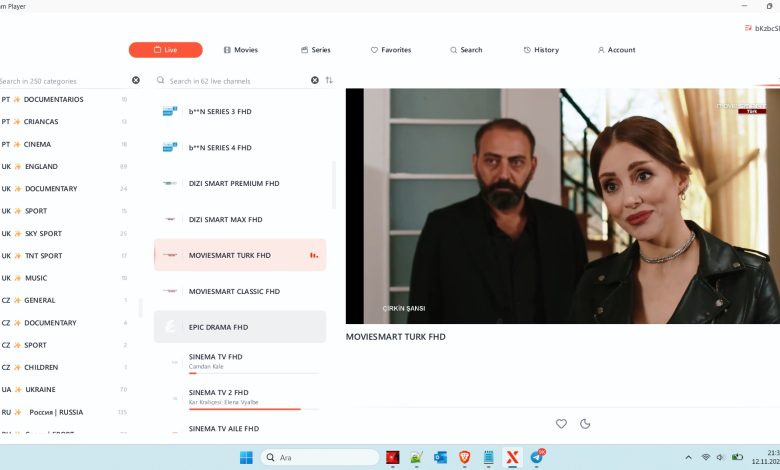
Free M3U Playlist UK: How to Find and Use Free M3U Playlists in the United Kingdom
Finding a reliable free M3U playlist UK resource can make it easier to explore internet-based television and access publicly available streaming channels. M3U playlists are widely used with IPTV players, media applications and compatible smart devices. Whether you want to watch free-to-air television, explore international channels or organize your favourite online streams, understanding how M3U playlists work is an important first step.
In this guide, we explain what free M3U playlists are, how to find legitimate sources in the UK, which devices support them and how to use an M3U playlist safely.
What Is a Free M3U Playlist?
An M3U playlist is a text-based file that contains links to audio or video streams. Originally developed for organising multimedia content, the M3U format is now commonly used by IPTV applications to organise television channels.
A free M3U playlist UK generally refers to an M3U file or URL containing links to television streams accessible without a paid playlist subscription.
These playlists may include different types of content, such as:
- Publicly available UK television channels.
- International news channels.
- Free online entertainment streams.
- Educational and documentary channels.
- Public information and cultural broadcasts.
- Internet radio stations.
The availability of channels depends on the playlist provider and the broadcasting rights associated with each stream.
It is important to remember that an M3U file does not host television content itself. It simply provides references to media streams hosted elsewhere.
Why Are Free M3U Playlists Popular in the UK?
Internet television continues to attract viewers looking for flexible ways to watch online content. In the United Kingdom, users often search for alternatives that work across smartphones, Android TV devices, computers and smart televisions.
There are several reasons why free M3U playlists attract attention.
1. Flexible viewing options
M3U playlists can work with multiple compatible IPTV and media player applications. Users can choose the device that best suits their viewing habits.
2. Access to international content
Some publicly available playlists include streams from different countries. This can be useful for viewers interested in international news, educational programming and cultural broadcasts.
3. Easy playlist management
An M3U file can organise multiple streaming links into one convenient list. Instead of opening individual streaming websites, users can browse compatible channels from a single application.
4. No playlist subscription required
Legitimate free playlists do not require payment for access to their publicly available streams. However, free access does not automatically mean that every channel in a playlist is legally available.
Where to Find Free M3U Playlist UK Sources
Finding a working and legitimate playlist requires more than searching for a random M3U download. Some online playlists contain expired links, unreliable streams or channels distributed without permission.
For UK viewers, the best approach is to prioritise official broadcasters and authorised public streaming sources.
Consider the following options:
- Official broadcaster websites offering free online streams.
- Publicly available government and educational broadcasts.
- Verified community-maintained playlists containing authorised streams.
- Free-to-air internet television services.
- Official international news streaming channels.
Before using an M3U URL, check whether the content provider permits redistribution and playback through third-party applications.
Avoid websites promising premium subscription channels for free without evidence of broadcasting rights.
How to Use a Free M3U Playlist UK
Using an M3U playlist is relatively straightforward when you have a compatible application and a valid playlist URL or file.
Follow these steps:
Step 1: Choose an IPTV player
Install a reputable media player that supports M3U playlists. Check the application’s official website or recognised app store before downloading it.
Step 2: Find a legitimate M3U source
Choose an authorised playlist containing publicly accessible streams. Make sure the source is trustworthy and the links are current.
Step 3: Copy the M3U URL
If the provider supplies an M3U URL, copy the complete address. Alternatively, download the M3U file if a file-based playlist is available.
Step 4: Import the playlist
Open your compatible IPTV application and find an option such as Add Playlist, Load M3U or Import Playlist.
Step 5: Wait for channel loading
The application will process the playlist and display the available channels. Loading time depends on the number of entries and the responsiveness of the streaming servers.
Step 6: Test your streams
Open a few channels to confirm that they work correctly. Some links may be unavailable because of server maintenance, geographical restrictions or expired streaming addresses.
Best Devices for Watching Free M3U Playlists
One advantage of the M3U format is its compatibility with different platforms. However, actual compatibility depends on the application and device operating system.
Android Smartphones and Tablets
Android devices offer several media player applications with M3U support. Users can import playlist files or enter authorised streaming URLs directly into compatible applications.
A stable internet connection is recommended for uninterrupted playback.
Android TV and Google TV
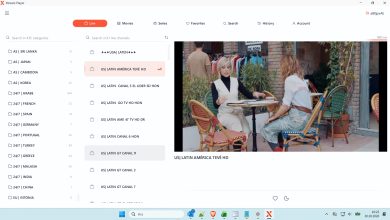
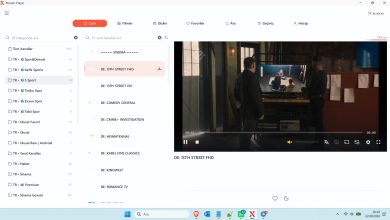
Android TV devices provide a convenient way to organise online television streams on a larger screen. Compatible IPTV players can display channel lists and, where supported, electronic programme guides.
Windows and Mac Computers
Desktop media players can open M3U files directly. This makes computers useful for testing playlists, managing streaming links and organising multimedia content.
Smart TVs
Some smart televisions support compatible IPTV applications through their official application stores. Availability depends on the television manufacturer, operating system and application compatibility.
Free M3U Playlist UK vs Paid IPTV Services
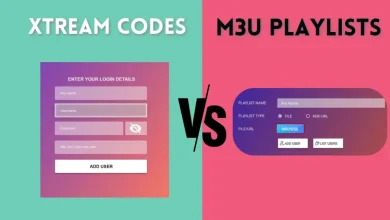
Users often compare free M3U playlists with paid IPTV subscriptions. Both may use the M3U format, but their service models can be very different.
| Feature | Free M3U Playlist | Paid IPTV Service |
|---|---|---|
| Cost | Free | Subscription-based |
| Channel selection | Varies | Depends on provider |
| Technical support | Often limited | May be included |
| Stream availability | Can change frequently | Depends on service quality |
| Updates | Source-dependent | Provider-dependent |
| Legal status | Depends on content rights | Depends on licensing |
A paid service is not automatically legitimate, and a free playlist is not automatically illegal. The important factor is whether the provider has permission to distribute the streams.
For UK users, checking the provider’s licensing information is essential.
Windows IPTV Player Download

Windows IPTV Player 3.0 Download
free m3u playlist UK
👤 www.apkyukleme.com
━━━━━━━━━━━━━━━━━━
• 𝙋𝙤𝙧𝙩𝙖𝙡 : http://premium-pro2.org
• 𝘾𝙧𝙚𝙖𝙩𝙚𝙙 : 03/03/2024
• 𝙀𝙭𝙥 : 06/04/2027
• 𝙐𝙨𝙚𝙧 : dygiraud2
• 𝙋𝙖𝙨𝙨 : 2112492
• 𝘾𝙤𝙣𝙣 : 1
• 𝙈𝙖𝙭𝘾𝙤𝙣𝙣 : 1
• 𝙋𝙤𝙧𝙩 : 80
• 𝙎𝙩𝙖𝙩𝙪𝙨 : # OK ✅
You can download the rest from the link below.
Download Link
You can watch the video to learn how to download the file.
How to Fix Common M3U Playlist Problems
Even legitimate M3U playlists can sometimes experience technical problems. Fortunately, several basic troubleshooting steps can help.
M3U playlist not loading
Check whether the URL is correct and whether the playlist source is still online. Try opening the file with another compatible media player.
Channels showing a black screen
The original stream may be offline, restricted or temporarily unavailable. Test another authorised channel to determine whether the problem affects one stream or the entire playlist.
Buffering and freezing
A slow internet connection can cause playback interruptions. Try using a wired connection on your television or moving your Wi-Fi router closer to your device.
Playlist links not working
Some stream URLs expire or change. Obtain updated links directly from the authorised source rather than downloading replacement playlists from unknown websites.
Incorrect channel names
Some M3U files contain outdated or incomplete channel information. A compatible player may allow you to refresh or reorganise the playlist.
Is It Safe to Download Free M3U Playlists?
Safety should be an important consideration when searching for a free M3U playlist UK download.
An ordinary M3U file is generally a text-based playlist, but the website distributing it may still pose security risks.
Follow these recommendations:
- Download files only from trusted sources.
- Avoid suspicious APK downloads and modified applications.
- Never share account passwords with unknown playlist providers.
- Do not install additional software simply because a playlist website requests it.
- Keep your device and media player updated.
- Avoid playlists advertising unauthorised premium television access.
Also remember that a playlist URL may contain personal access credentials. Do not share private playlist links publicly.
Tips for Choosing a Reliable Free M3U Playlist UK
Not all free playlists provide the same experience. Before adding a playlist to your IPTV application, consider these factors:
Source transparency: Choose providers that explain where their streams originate and whether distribution is authorised.
Regular maintenance: A maintained playlist is more likely to contain working links.
Device compatibility: Confirm that the M3U format is supported by your preferred application.
Stream quality: Video resolution and playback stability depend on the original broadcaster and your internet connection.
Privacy and security: Avoid websites that request unnecessary personal information or permissions.
A smaller playlist containing verified public streams can be more useful than a large list filled with broken or unauthorised links.
Frequently Asked Questions About Free M3U Playlist UK
1. What is a free M3U playlist UK?
It is an M3U-format playlist containing links to online television or multimedia streams that can be accessed without paying for the playlist itself. Availability and viewing rights depend on the original content provider.
2. Can I watch UK channels with an M3U playlist?
Yes, provided the playlist includes authorised streams of UK channels. Some broadcasters offer free online viewing through their official websites and applications.
3. Do I need an IPTV application to open an M3U file?
You need a compatible media player or IPTV application. Some desktop media players can also open M3U files directly.
4. Are free M3U playlists legal in the UK?
The M3U file format itself is legal. However, streaming copyrighted television content without the appropriate permission may infringe copyright law. Always use authorised sources.
5. Can I use M3U playlists on Android TV?
Yes. Android TV devices support compatible applications that can import M3U files or playlist URLs.
6. Why does my free M3U playlist stop working?
Possible reasons include expired stream links, server maintenance, geographical restrictions or changes made by the original content provider.
7. Can I use the same M3U playlist on multiple devices?
This depends on the playlist provider’s terms and the restrictions associated with individual streams.
8. Where can I find safe free M3U playlists?
Start with official broadcaster websites, authorised public streams and transparent community projects that respect content distribution rights.
Final Thoughts
Searching for a free M3U playlist UK is a practical starting point for people interested in internet-based television and multimedia streaming. The M3U format makes it possible to organise compatible streaming links and access them through various applications and devices.
However, playlist quality, availability and legality depend on the source. Always prioritise authorised broadcasters, reliable playlist providers and secure applications.
For more information about Android applications, IPTV player compatibility and useful multimedia tools, visit apkyukleme.com and explore the available guides and software resources.