Free Xtream Codes IPTV: Complete Guide to Xtream Codes, M3U Playlists and IPTV Login in 2026
Are you searching for Free Xtream Codes IPTV and wondering how Xtream Codes login details, M3U playlists, and IPTV applications work? You are not alone. Many streaming users look for simple ways to access live television, organize their playlists, and configure compatible IPTV players on devices such as Firestick, Android TV, smartphones, and TV boxes.
In 2026, searches for Free Xtream Codes, Working Xtream Codes, and Xtream Codes 2026 continue to attract attention from people exploring IPTV technology. However, understanding how the system works is essential before choosing an application or streaming source.
This guide explains Xtream Codes IPTV, Xtream Codes API, M3U compatibility, popular IPTV players, and safe ways to find legitimate streaming options. It also explains why free login credentials found on random websites may not work.
What Is Free Xtream Codes IPTV?
Xtream Codes IPTV generally refers to IPTV services and applications that use an Xtream Codes-style login system.
This login method allows a compatible IPTV player to connect to a service using three basic details:
- Server or portal URL
- Username
- Password
Once the information is entered correctly, the application communicates with the provider’s server and retrieves the content available to that account.
The term Free Xtream Codes IPTV is commonly used by people looking for free access to IPTV content. It is important to understand that Xtream Codes is a connection method, not a free television subscription.
An IPTV player may be available at no cost, but access to channels depends on the content source and its distribution permissions.
How Does Xtream Codes API Work?
The Xtream Codes API is a commonly supported connection method in IPTV applications. It helps compatible players communicate with an IPTV service using account credentials.
Instead of importing a playlist file manually, users can enter their login details into the application.
A typical setup involves:
- Opening a compatible IPTV application.
- Selecting the Xtream Codes API login option.
- Entering the server URL.
- Adding the assigned username.
- Entering the account password.
- Saving the connection and allowing the player to load available content.
Depending on the provider and application, the interface may display live TV categories, video-on-demand sections, series, and electronic programme guide information.
Not every provider supports every feature. The available content and functionality depend on the service and the player’s compatibility.
Free Xtream Codes 2026: What Should You Know?
Searches for Free Xtream Codes 2026, Free Working Xtream Codes, and New Xtream Codes are popular among users exploring IPTV options.
However, there is no universal database of free Xtream Codes credentials that guarantees access to working channels.
Login details are normally created and managed by individual providers. They may be limited by subscription status, device restrictions, expiration dates, or connection limits.
Be careful with websites advertising:
- Unlimited Free Xtream Codes
- New Working Xtream Codes 2026
- Free Xtream Codes IPTV Login
- Best Xtream Codes 2026
- Free Xtream Codes Generator
Such claims may be misleading. Some websites publish expired credentials, while others may use fake download buttons or collect personal information.
For safer streaming, use authorized free streaming platforms, official broadcaster applications, or IPTV services that clearly explain their content rights.
Understanding Xtream Codes M3U
Xtream Codes M3U is another frequently searched term. It combines two different concepts used in IPTV streaming.
An M3U playlist is a text-based file or URL that contains media stream entries. Xtream Codes login generally uses a server address and account credentials.
Both formats can help compatible applications load IPTV content, but they are not identical.
| Feature | Xtream Codes Login | M3U Playlist |
|---|---|---|
| Connection | Server, username, password | Playlist URL or file |
| Setup | Account-based login | Playlist import |
| Format | API-style connection | Text-based playlist |
| EPG | Depends on provider and player | May require separate data |
| Compatibility | Supported IPTV apps | M3U-compatible apps |
Some IPTV providers support both methods. Others may offer only one.
Before choosing a format, check the instructions supplied by your provider.
What Is an Xtream Codes M3U Playlist?
An Xtream Codes M3U Playlist is generally an M3U-formatted playlist associated with an IPTV account or service.
It can be used with compatible media players that support M3U imports.
An M3U playlist may contain:
- Channel names
- Stream addresses
- Channel identifiers
- Group information
- Optional programme guide references
The actual content depends on the source. A playlist format does not guarantee that every stream is available or authorized.
If your provider offers an official M3U option, use the playlist address and instructions supplied directly by that provider.
Avoid copying unknown playlist URLs from websites that promise access to premium channels without permission.
Xtream Codes to M3U: Can You Convert Login Details?
The search phrase Xtream Codes to M3U refers to converting or accessing an IPTV service through an M3U-compatible format.
Some authorized providers offer both Xtream Codes API login and M3U playlist access. In these cases, users can choose the connection method supported by their preferred application.
If you want to use Xtream Codes to M3U, follow these recommendations:
- Check whether your provider supports M3U access.
- Request the official playlist URL or export instructions.
- Confirm that your account is active.
- Use a trusted application that supports M3U.
- Keep your login details private.
Not every Xtream Codes account can automatically be converted by a third-party tool. Provider restrictions and technical compatibility may apply.
How to Use Xtream Codes on IPTV Players
If you already have valid credentials from an authorized IPTV provider, learning How to use Xtream Codes is relatively simple.
Most compatible applications follow a similar process.
Basic Xtream Codes Login Steps
- Install a compatible IPTV player from an official or trusted source.
- Launch the application.
- Select the option to add a new user or playlist.
- Choose Xtream Codes API login.
- Enter the server URL supplied by your provider.
- Add your username and password.
- Save the account information.
- Wait for the application to retrieve the available categories.
This process is often called Xtream Codes Login or IPTV API login.
The exact instructions may differ depending on the application version and device.
Xtream Codes Firestick Setup
Xtream Codes Firestick is a common search among Amazon Fire TV users who want to configure an IPTV player.
Firestick devices can run compatible streaming applications, depending on the model, software version, and regional availability.
To configure an authorized IPTV account:
- Choose a compatible IPTV player.
- Install it through an official or trusted distribution source.
- Open the application.
- Select Xtream Codes login if supported.
- Enter your provider’s server address and credentials.
- Save the connection and test playback.
For a better experience, keep your Firestick software updated and use a stable internet connection.
Remember that installing an IPTV player does not automatically provide television channels. You need a legitimate content source.
IPTV Smarters Xtream Codes and Smarters Pro
IPTV Smarters Xtream Codes is a popular search phrase because users want to understand how to connect account details through compatible IPTV Smarters applications.
Depending on the version, the application may offer an Xtream Codes API login option.
A typical setup includes:
- Opening the IPTV Smarters application.
- Selecting the add-user option.
- Choosing login with Xtream Codes API.
- Entering the account name.
- Adding the server URL, username, and password.
- Saving the account.
The phrase Xtream Codes Smarters Pro is also commonly used in searches about IPTV player configuration.
Application features and availability can change. Always check the official product information and use trusted download sources.
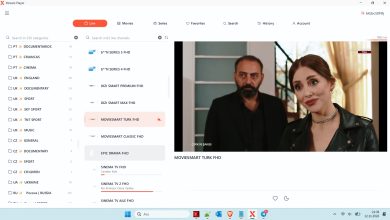
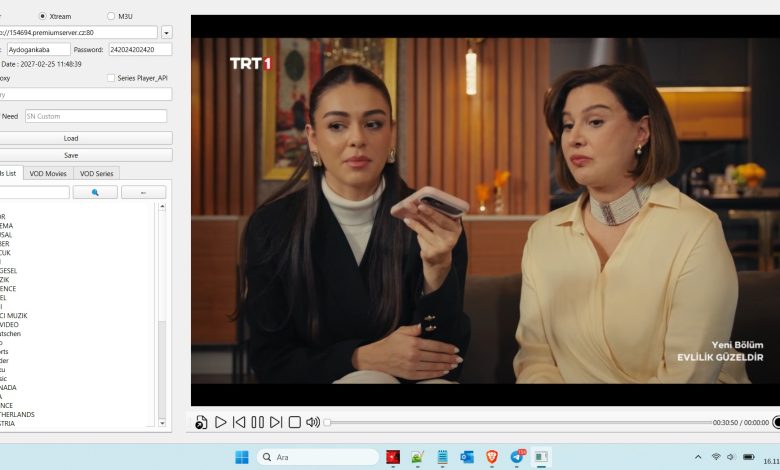
Windows IPTV Player Download

Windows IPTV Player 3.0 Download
Free Xtream Codes IPTV
👤 www.apkyukleme.com
━━━━━━━━━━━━━━━━━━
• 𝙋𝙤𝙧𝙩𝙖𝙡 : http://154694.premiumserver.cz
• 𝘾𝙧𝙚𝙖𝙩𝙚𝙙 : 08/10/2025
• 𝙀𝙭𝙥 : 08/12/2027
• 𝙐𝙨𝙚𝙧 : SerkanSoylemez
• 𝙋𝙖𝙨𝙨 : 973Rvmspktgx
• 𝘾𝙤𝙣𝙣 : 1
• 𝙈𝙖𝙭𝘾𝙤𝙣𝙣 : 1
• 𝙋𝙤𝙧𝙩 : 80
• 𝙎𝙩𝙖𝙩𝙪𝙨 : # OK ✅
You can download the rest from the link below.
Download Link
You can watch the video to learn how to download the file.
TiviMate Xtream Codes: IPTV on Android TV
TiviMate Xtream Codes is another frequently searched combination.
TiviMate is an IPTV player designed primarily for Android TV devices. It supports playlist-based streaming workflows, with features that may include channel organization, favourites, and electronic programme guide integration.
Users should verify the application’s current supported login methods and version requirements before setting up an account.
A typical Android TV setup requires:
- A compatible Android TV device.
- A supported IPTV player.
- A stable internet connection.
- An authorized playlist or account.
- Provider information for any required EPG data.
XCIPTV Xtream Codes Compatibility
XCIPTV Xtream Codes is another keyword associated with IPTV player setup.
XCIPTV is commonly discussed as an application for organizing IPTV content. Depending on the version, it may support account-based connections and playlist features.
Before using it, check:
- Whether the application is compatible with your device.
- Whether it supports your provider’s login method.
- Whether the application is available from a trusted source.
- Whether your provider permits the intended device connection.
A compatible player can improve content organization, but it cannot fix an invalid account or unavailable stream.
Xtream Codes Android TV: Choosing a Compatible Player
Users searching for Xtream Codes Android TV are usually looking for a convenient way to organize IPTV content on a television.
Android TV offers access to different media applications, but compatibility varies.
When choosing a player, consider:
- Remote-control navigation.
- Support for Xtream Codes API or M3U.
- EPG functionality.
- Playlist management.
- Update frequency.
- Privacy and security practices.
A simple interface can make everyday navigation easier, especially when using a television remote rather than a touchscreen.
Xtream Codes Generator: Are Free Generators Reliable?
A Xtream Codes Generator is often advertised as a website or tool that creates free IPTV usernames, passwords, or working accounts.
Users should be cautious about these services.
A generator cannot legitimately create subscription access to protected content without authorization from the provider. Some tools may simply display random text or collect user information.
Potential warning signs include:
- Promises of unlimited premium channels.
- Requests for existing IPTV passwords.
- Suspicious APK downloads.
- Excessive advertisements and redirect pages.
- Claims that every generated login is guaranteed to work.
If you need valid credentials, contact your authorized provider. If you need a playlist, request the official M3U option.
Best Xtream Codes 2026: How to Choose a Safe Setup
Searching for the Best Xtream Codes 2026 can lead to many websites and applications. Instead of relying on claims about free credentials, evaluate the complete streaming setup.
Consider these factors:
1. Reliable content source
Choose a provider that clearly identifies its service and has the necessary content distribution rights.
2. Application compatibility
Make sure your preferred player supports the supplied connection method.
3. Device support
Check whether the application works with Firestick, Android TV, smartphones, or your particular streaming device.
4. Privacy
Avoid sharing account credentials with unknown websites or third-party generators.
5. Technical support
A trustworthy provider should explain account setup, supported devices, and troubleshooting procedures.
The best setup is one that combines legitimate content, reliable software, and suitable device compatibility.
Common Xtream Codes Login Problems and Solutions
Even valid accounts may occasionally experience connection problems.
Here are some basic troubleshooting steps.
Invalid username or password
- Check for typing mistakes.
- Remove accidental spaces.
- Confirm that your account is still active.
- Request updated details from your provider if necessary.
Server connection error
- Verify the server address.
- Check your internet connection.
- Restart the application.
- Contact the provider if the server remains unavailable.
Playlist not loading
- Refresh the playlist.
- Confirm that the account supports the selected format.
- Check whether the playlist has expired.
- Try the provider’s recommended application.
EPG information missing
- Check whether EPG data is included.
- Refresh the programme guide.
- Confirm the application’s EPG settings.
Application not working
- Update the application.
- Restart your device.
- Check available storage.
- Reinstall only from a trusted source if necessary.
Frequently Asked Questions About Free Xtream Codes IPTV
What is Free Xtream Codes IPTV?
It is a search term used for IPTV login methods and services that people hope to access without paying. Xtream Codes itself is a connection method, not a free channel subscription.
Are Free Xtream Codes available in 2026?
Some legitimate services offer free content or trials, but there is no universal collection of guaranteed working credentials. Check the provider’s official terms.
What are Xtream IPTV Codes?
The phrase generally refers to the server URL, username, and password used by compatible IPTV applications.
Can I use Xtream Codes M3U on Firestick?
Yes, if your chosen Firestick application supports M3U playlists and you have an authorized playlist from your provider.
Is Xtream Codes to M3U conversion possible?
Some providers support both formats or provide official conversion instructions. Compatibility depends on the service.
Which applications support Xtream Codes?
IPTV Smarters, TiviMate, and XCIPTV are commonly associated with IPTV playlist and account configuration. Check each application’s current compatibility information.
Is a Free Working Xtream Codes Generator safe?
Not necessarily. Many generator websites make unverifiable claims or request sensitive information. Avoid sharing credentials with unknown services.
Conclusion: Understanding Free Xtream Codes IPTV in 2026
Free Xtream Codes IPTV remains a popular search topic for people exploring IPTV technology, playlist formats, and compatible streaming applications.
Understanding Xtream Codes, Xtream Codes API, Xtream Codes M3U, and Xtream Codes to M3U can help users choose the right connection method for their devices.
Whether you use IPTV Smarters, Smarters Pro, TiviMate, XCIPTV, Firestick, or Android TV, remember that the player and the content provider are separate.
Use trusted applications, protect your account information, and choose content sources that have the appropriate distribution rights.
For more IPTV tutorials, player setup instructions, and streaming technology guides, explore the latest articles on our website.